

A meter can compute demand correctly and still disagree with the bill. One setting explains most of it: the averaging window.
The bill uses 30 minutes
TNB bills maximum demand over a 30-minute window. The month’s highest half-hour average sets the charge, and since July 2025 that charge has sat inside RP4. The meter has its own demand register — and its window is whatever someone typed into the menu.
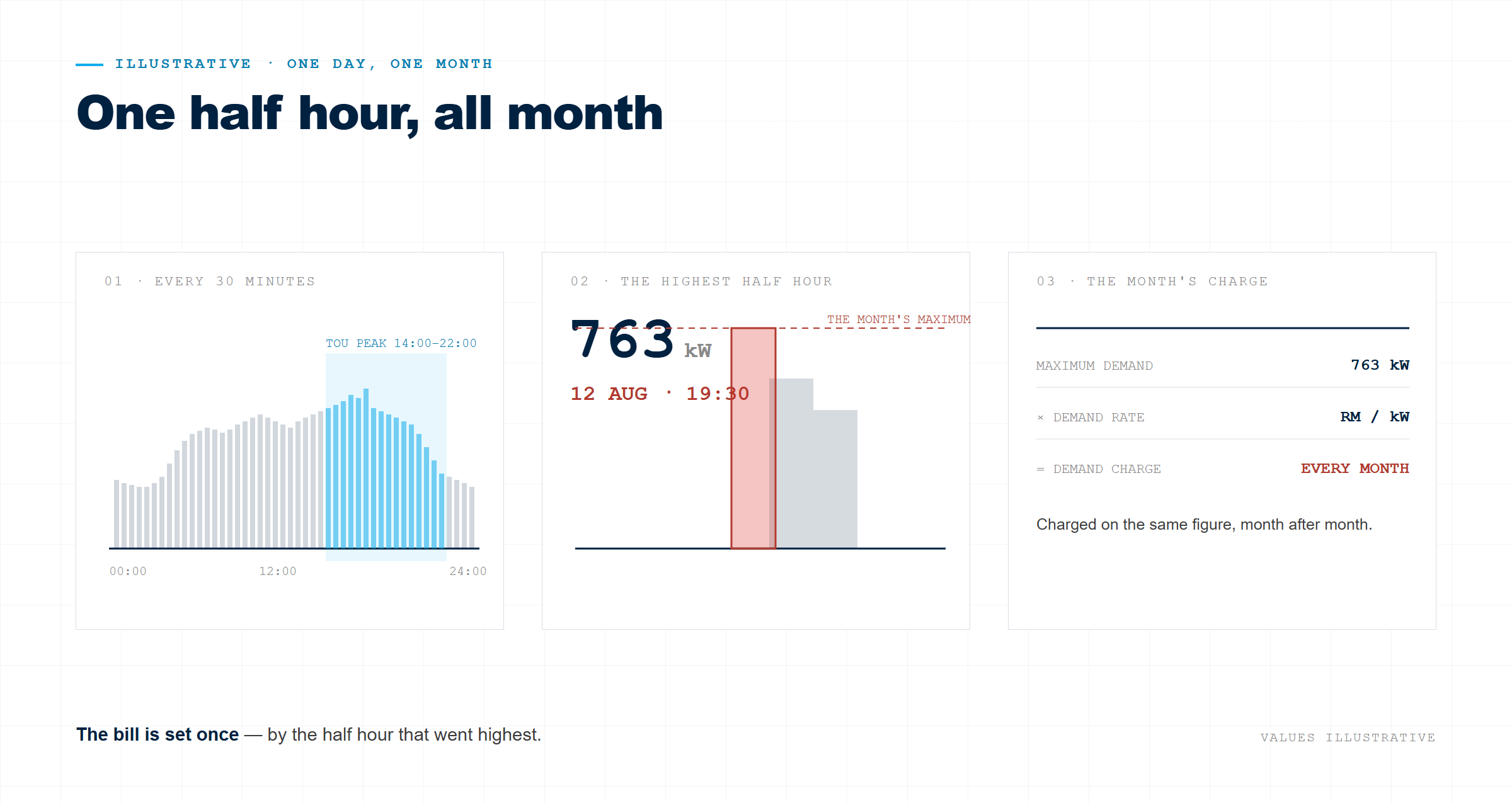
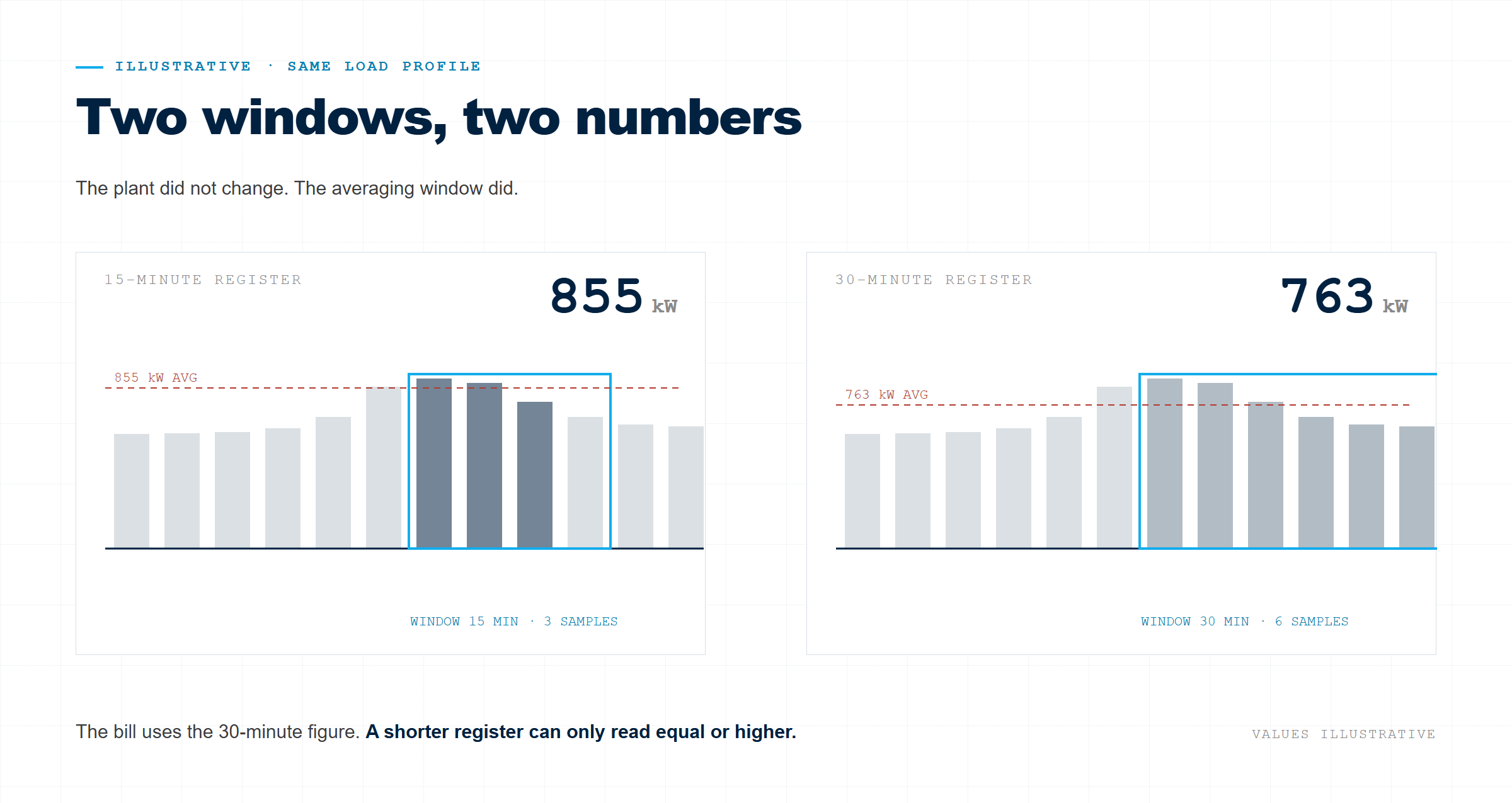
A shorter window reads higher
Averaging over a finer interval cannot give a lower maximum. A five-minute surge vanishes in the half-hour figure and shows up in a 15-minute register. The meter is not wrong — it is answering a different question, in the direction that costs money.
| Window | What the register reports |
| 15 min | Equal or higher than the bill — clearly higher on spikey loads. |
| 30 min | The billed quantity, if the point and the clocks match. |
| 1–5 min | Events, not billing. |
Set the period to 30
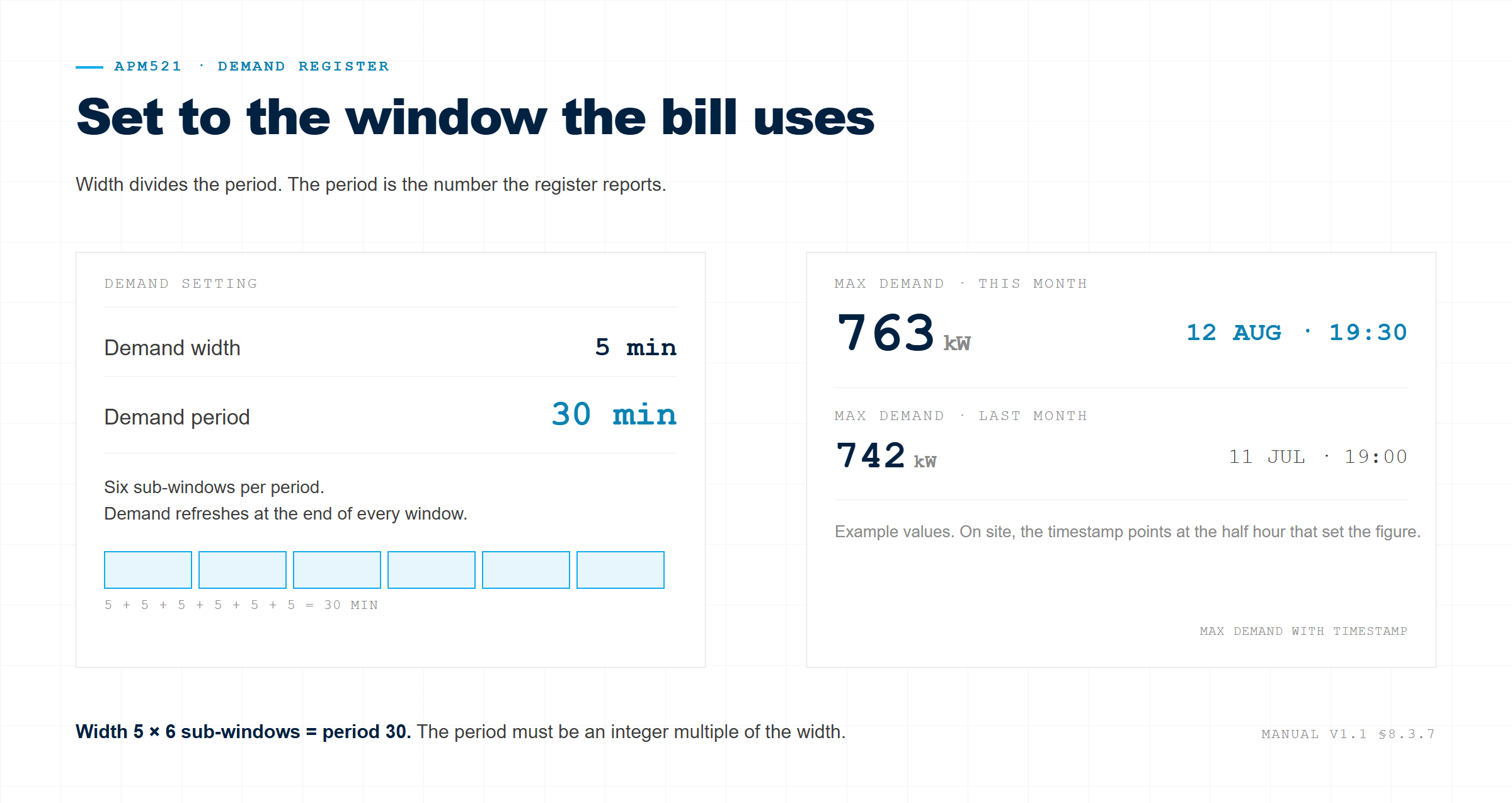
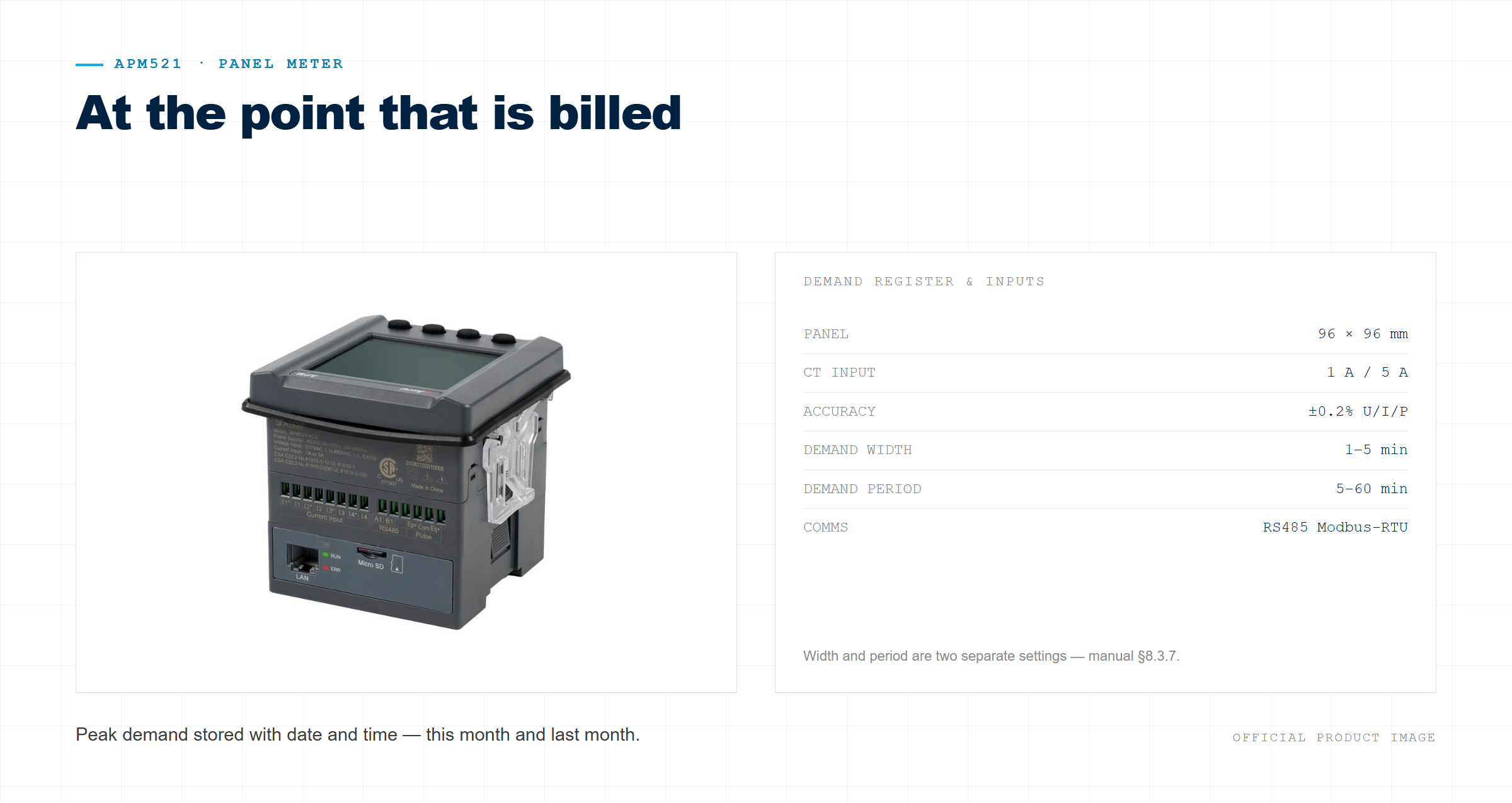
On the APM521, width is the refresh step and period is the averaging window. Width runs 1 to 5 minutes; period runs 5 to 60 and must be an integer multiple of the width. Set the period to 30 and the register reports what TNB bills.
| Setting | For a TNB half hour |
| Width | 5 min — must divide the period |
| Period | 30 min — six sub-windows |
| Records | Maximum demand and last month’s, both with timestamps |
| Alarm | Set from the bill, not from a default |
| Comms | RS485 Modbus-RTU |
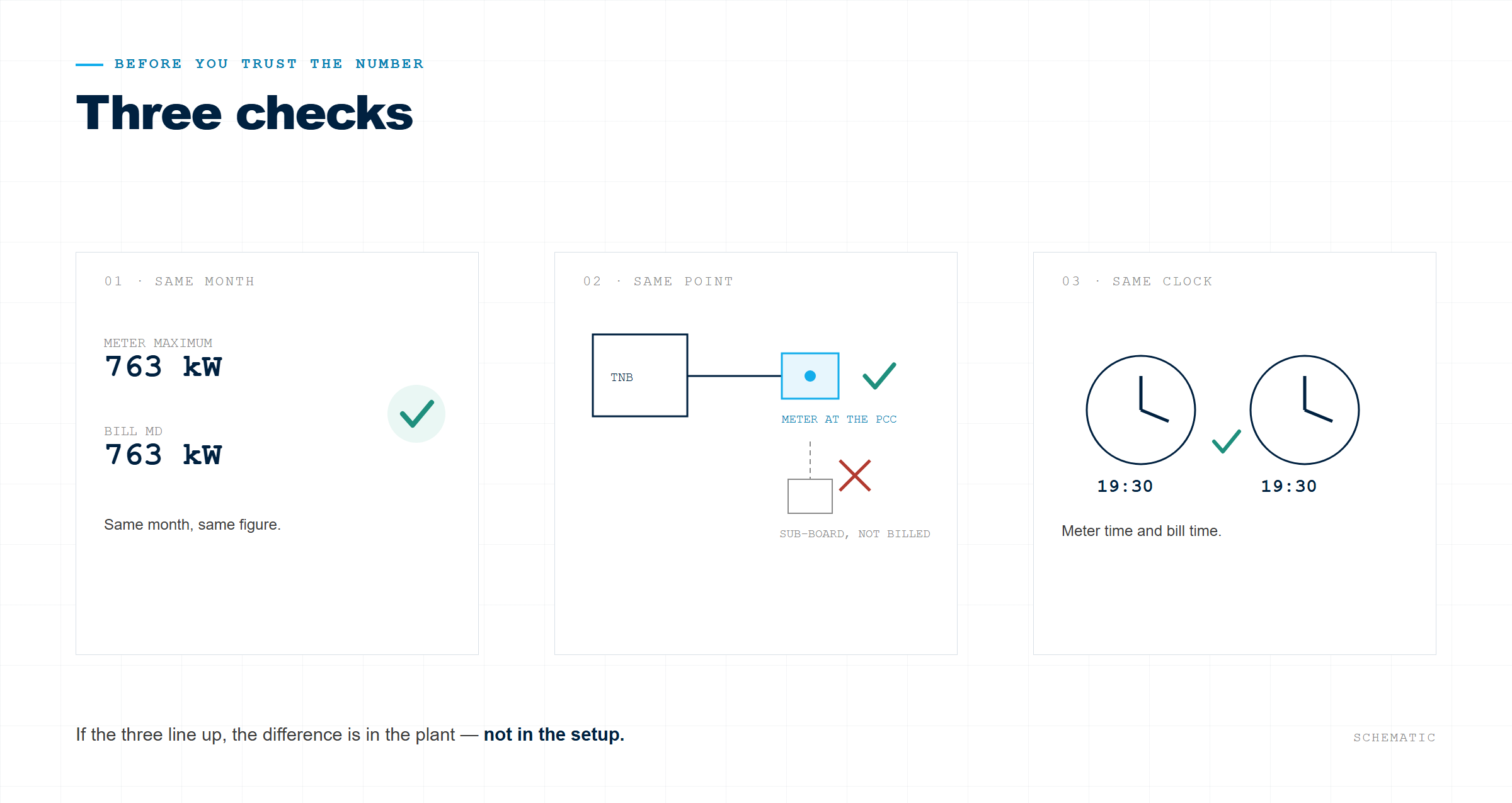
The peak, with its timestamp
A monthly maximum says the bill will be high. A timestamp says which half hour did it — this month and last month. That is the difference between a number and an answer, and the start of acting before the next peak.
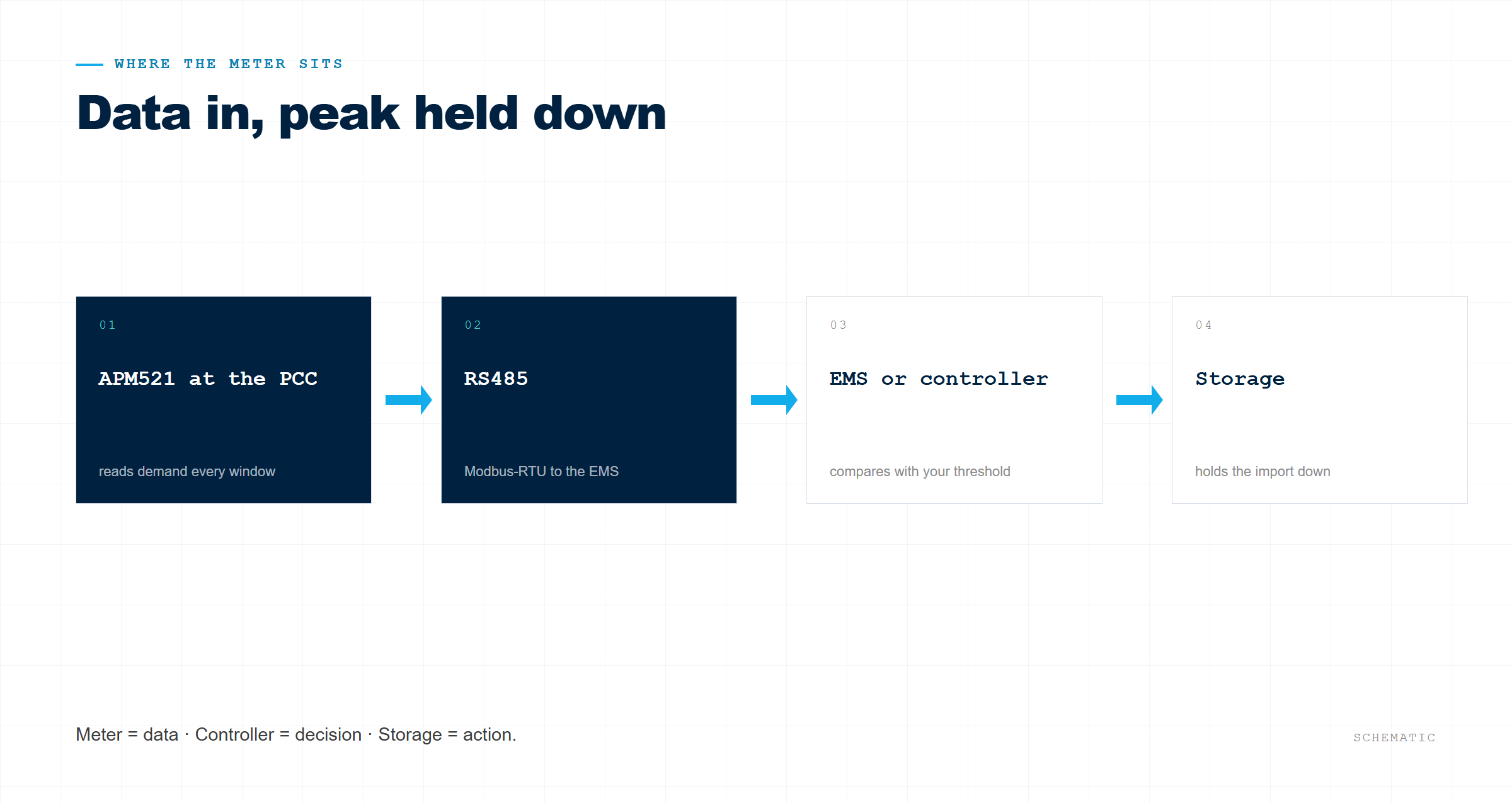
The meter reports over RS485 Modbus-RTU. A controller compares PCC power with your threshold; storage acts. The meter stays the data source — see the control side.
Post time: Oct-21-2026


